Sign-in Methods
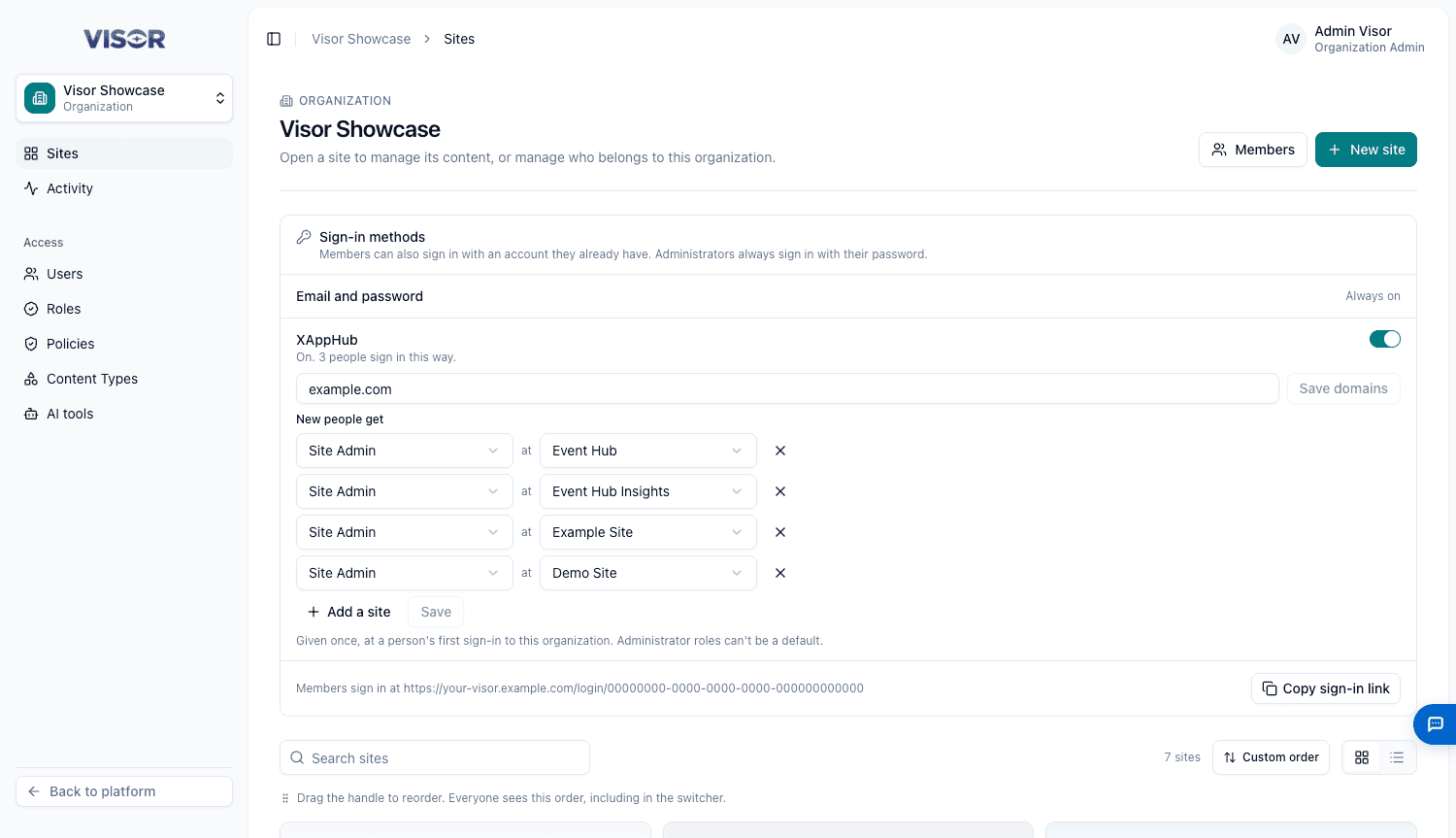
Members can sign in with an account they already have. Email and password is always on. The Sign-in methods card on the organization’s page turns the others on, and it appears only if your Visor has a provider set up.
Every provider starts off in every organization.
Administrators always sign in with their password, and external sign-in refuses them.
Turn on a method
Turn on the switch
Turn on Microsoft or XAppHub. If it says Not available yet, the platform hasn’t added that provider.
Limit it to your email domains
Enter your domains, for example client.com, client.co.id, and click Save domains. If you leave this empty, any email address can create an account.
Share the link
The buttons appear only on the organization’s own sign-in page. Click Copy sign-in link and share it. The general login page doesn’t show them.
To send people from another app straight into sign-in, add ?sso=my-apps or ?sso=azure to that link.
Give new people access automatically
By default, New people get no access, and an admin gives it. To change this, add your allowed domains first, then add rows of Choose a role at Choose a site, up to 20, and click Save.
These are given once, at a person’s first sign-in to this organization. Administrator roles can’t be a default.
Turn a method off
If people sign in this way, Visor asks you to confirm. They may have no password, so they can’t sign in until the method is back on or you set a password for them.