Activity
The activity log records what people did. Open Settings → Activity at a site to see that site’s activity. At the organization level, Activity shows every site, with an extra Site column.
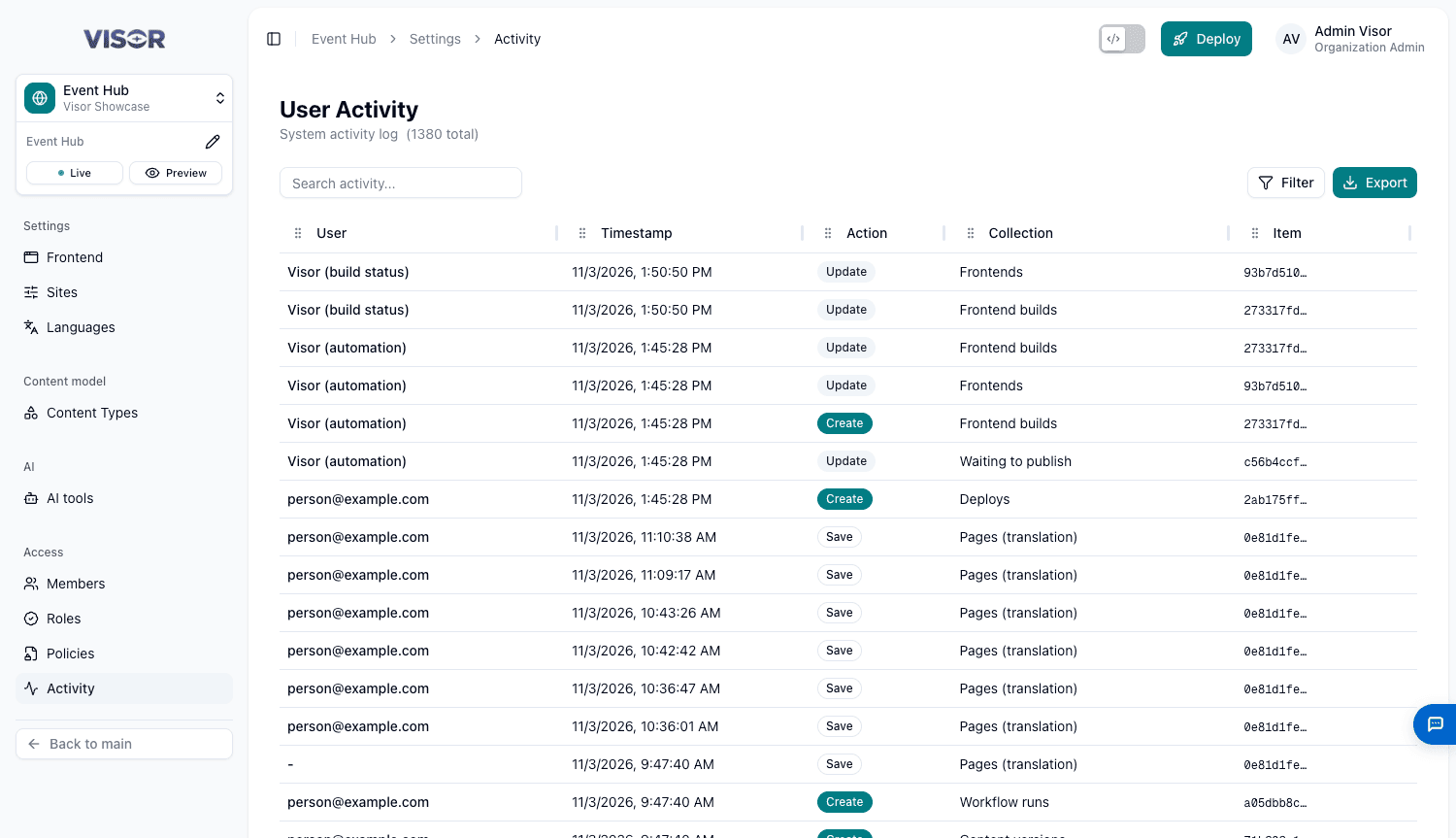
| Column | What it shows |
|---|---|
| Timestamp | When it happened. |
| Action | What was done. |
| User | Who did it. |
| Collection | The kind of content. |
| Item | Which record. |
Visor’s own automated work appears under names such as Visor (automation) and Visor (site build). When Visor acts for someone, the entry says who, as via (name).
Find an entry
Click Filter to narrow by Actions, Collection, From and To. Click a row to open Change Details, showing the values before and after.
Export
Click Export for a CSV file, with up to 5,000 rows per file.
Last updated on