Members, Roles and Policies
Site Admins manage who works at their site and what they may do, under Settings → Access. For the built-in roles, see Roles.
Members
Members lists who works at the site, with their roles.
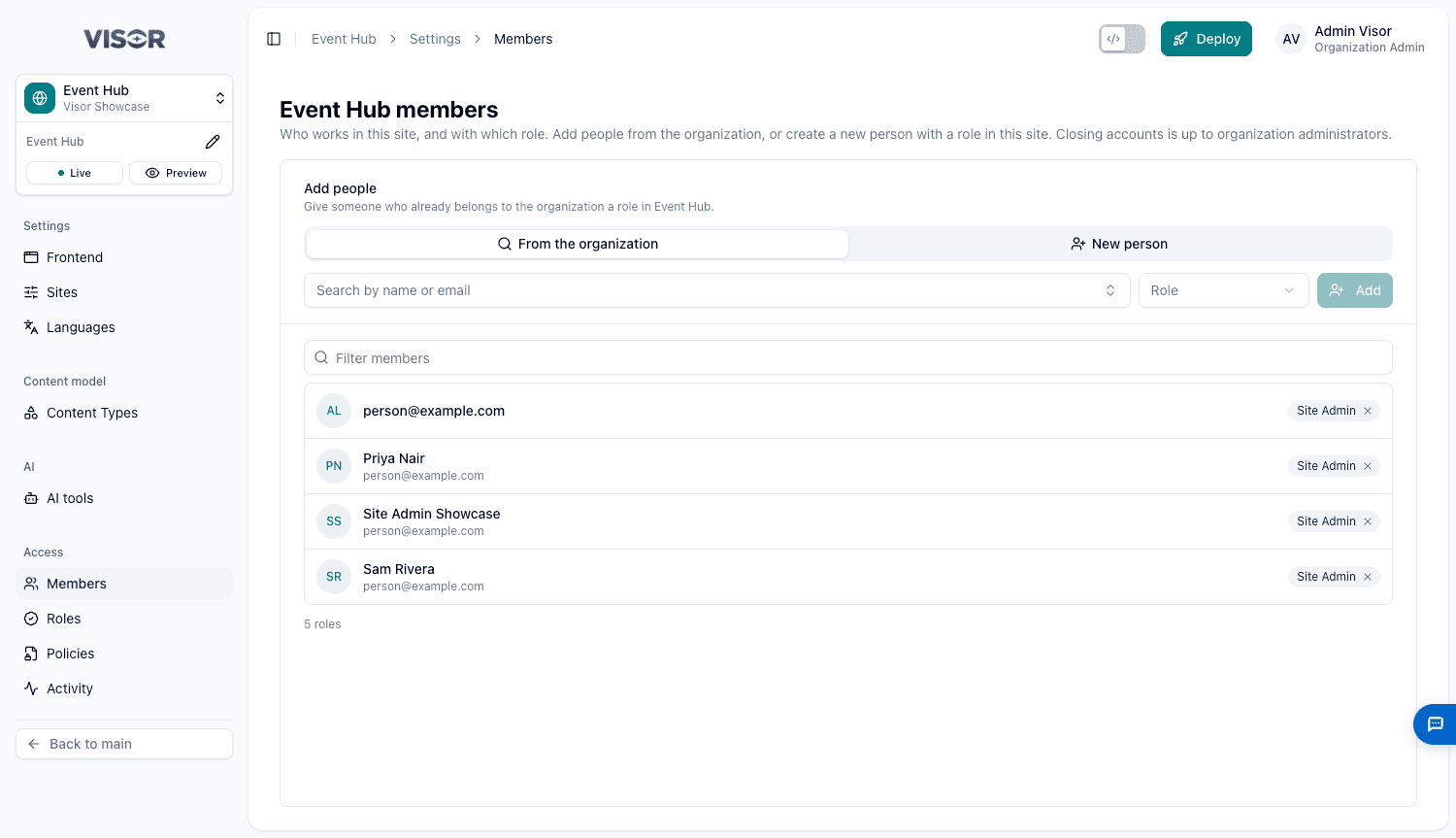
Add someone
Choose how
Choose From the organization for someone who already has an account, or New person to create one.
Fill it in
| Mode | What to enter |
|---|---|
| From the organization | Search for the person and choose a Role. |
| New person | First name, Email, the Roles to give (up to 5), and a Temporary password of at least 8 characters. |
Share the details
Click Add or Create and add. For a new person, Visor shows their sign-in details once. Use Copy sign-in details and send them securely, because Visor doesn’t email invitations.
If the email already has an account, the same person is added and keeps their password.
Visor User and Content Designer together suit someone who both writes content and designs content types.
Remove a role
Click the x on a role badge and confirm. Removing someone’s only role ends their access to the site, though their account stays. Only Organization Admins close accounts.
The rules
- You can’t remove your own roles.
- A site’s last Site Admin can’t be removed.
- Administrator roles can’t be given here.
- You can rename only people who work solely at this site.
Removing someone’s role also renews the site’s code logins, so their copy of the code stops being able to push.
Roles
Roles lists roles that belong to this site, made from its policies. A site can have up to 20. For example, a Press Officer who edits only Press Releases.
Make a policy first
A role needs at least one policy.
Create the role
Click New role, enter a Name and an optional Description, and tick its Policies.
Decide whether it can publish
Can publish and schedule lets people send the site’s approved changes live, schedule publishing and run Deploy. It covers all of the site’s content, not only this role’s.
Give it to people
Click Create role, then give it to people under Members.
A role can’t be deleted while people hold it.
Policies
Policies are blocks of rights that make up roles. A site can have up to 50.
Visor Users always work with Pages, Layouts and Files, and can deploy. To give someone less, give them one of the site’s own roles in Members instead of Visor User.
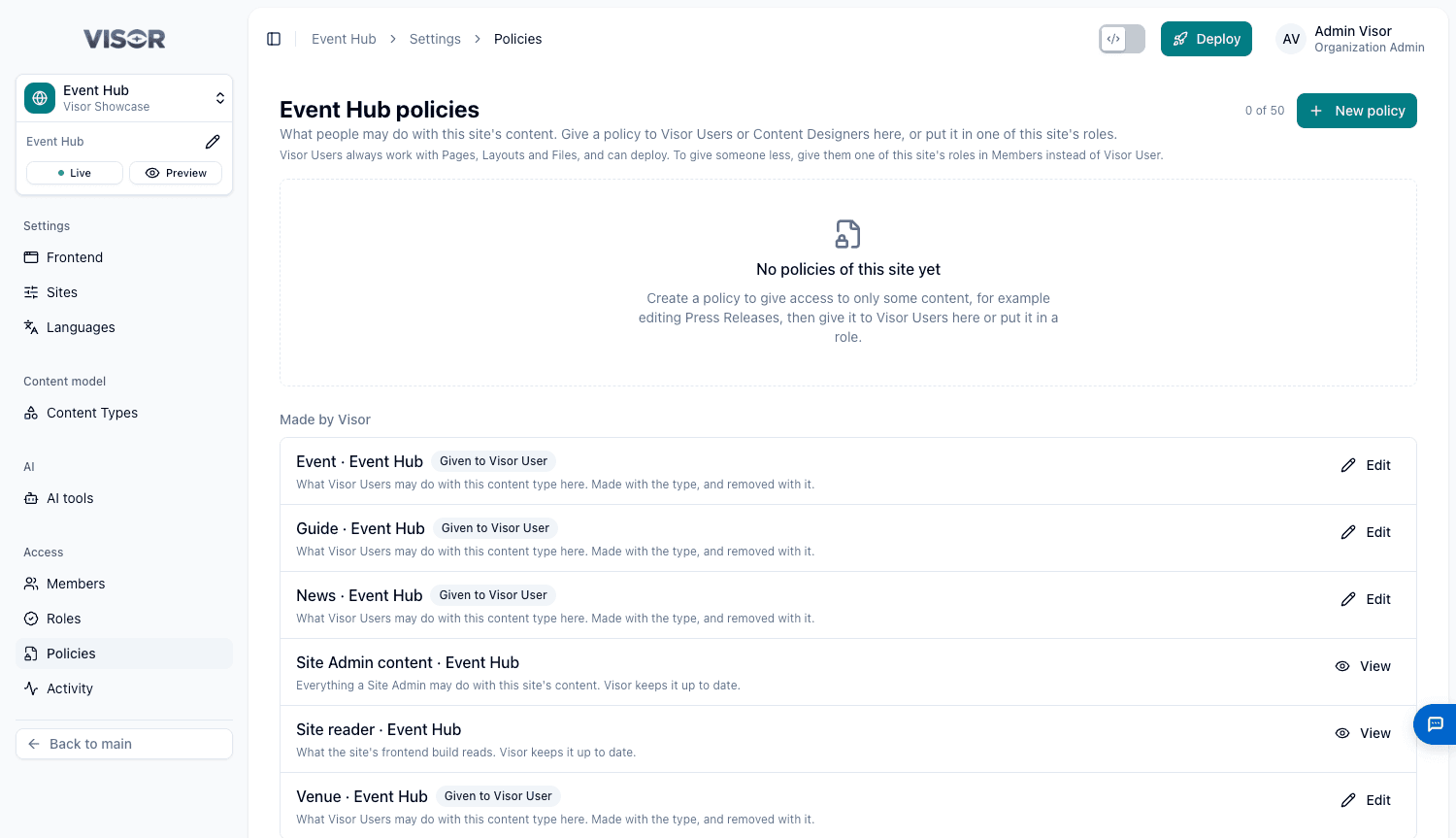
To create one, click New policy and fill in:
| Setting | What it does |
|---|---|
| Name, Description | How people recognise it. |
| Access | For each kind of content, tick View, Create, Edit and Delete. The others need View. You can’t give access you don’t have yourself. |
| Give to, in this site only | Adds the policy to Visor User or Content Designer at this site. |
The Made by Visor section lists the policies Visor keeps for each content type. Edit one to change what Visor Users may do with that type. It applies straight away, and nobody needs to sign in again.
A policy can’t be deleted while it is given to anyone. Site policies never affect other sites.
Organization-wide roles
Organization Admins manage roles and policies across every site. See People and Roles.